Showing posts with label software. Show all posts

Saturday, April 20, 2019

How to Build & Run Vampire ATP in Cygwin

Vampire is an Automated Theorem Prover.  It was apparently developed on Linux, but it can be run on Windows using Cygwin, which provides the build tools, software packages and operating system services that Vampire depends on.  Here are some instructions for building and running Vampire in 64-bit Windows 10.  A note on building Vampire with Cygwin can be found on Vampire's GitHub page, here.

Install Cygwin:

  1. Install Cygwin and its default packages.
  2. Install these Cygwin packages:
    • cygrunsrv
    • gcc-core
    • gcc-g++
    • make
    • zlib
    • zlib-devel
    • zlib-devel
    • zlib0
  3. Move C:\cygwin64\bin to the front of the %PATH% environment variable.

Install Git Command-Line Tools

  1. Install the Git command-line tools.  An installer can be downloaded from https://git-scm.com/download/win.

Install the Z3 Theorem Prover

  1. Download a Win64 release of Z3 from https://github.com/Z3Prover/z3/releases.
  2. Make z3.dll available from PATH, either by putting z3.dll from this release in some folder that is in PATH, or by adding the Z3 "bin" folder to PATH.

Build Vampire

  1. Pull Vampire's Git repository from GitHub (https://github.com/vprover/vampire).
  2. In Vampire's Makefile, add "-D_GNU_SOURCE" to CXXFLAGS and CCFLAGS.
  3. Change all instances of "exit(0);" in the source code to "_Exit(0);".  This is needed to prevent the child processes forked by the main Vampire process from calling the main process' atexit handlers.
  4. Create a folder named "include" in the Vampire repository's main folder.
  5. Copy the contents of the Z3 "bin" folder to that "include" folder.
  6. Compile and link vampire by issuing the command "make vampire_z3_rel" from a command prompt.

Start the Cygwin Windows Service

  1. Start Cygwin's bash shell.
  2. From the bash command prompt, issue the command "cygserver-config" to configure the Cygwin Windows service.
  3. In Windows, right-click "This PC", select "Manage", then select "Services and Applications, then select "Services", then start the "CYGWIN cygserver" service.

 Run Vampire

  1. Run Vampire from a command prompt.  For example:
    vampire_z3_rel_master_4055 --mode casc -t 300 "Problems\SET\SET159-6.p"
  2. Vampire may not succeed in deleting the semaphores that it creates in the Cygwin server.  To delete them, issue the command "ipcs -s | grep '^s\\s' | cut -d' ' -f3|xargs -n 1 ipcrm -s" from a command prompt.  Alternatively, add a call to system() at the end of Vampire's main function that issues this command.

        Saturday, March 31, 2018

        Improvements to somerby.net/mack/logic

         After a spate of good input from commenters, I've improved somerby.net/mack/logic in several ways:
        • Instead of showing just one counterexample, clicking the "Counterexample" button more than once causes the application to cycle through different counterexamples for the current statement.
        • There is a new button: the "Example" button, which is the opposite of the "Counterexample" button.
        • Propositions (nullary predicates) can now be lower-case letters as well as upper-case letters.
        • There is now a "therefore" operator -- ',' -- apostrophe comma apostrophe, for representing logical arguments.

        Sunday, April 17, 2016

        A Cancel Button for somerby.net/mack/logic

        Good news: somerby.net/mack/logic now has a cancel button.  If a decision is taking too long, you can cancel it and continue working.  You don't have to close the browser anymore.

        Bad news: somerby.net/mack/logic is not working in Internet Explorer, or at least it isn't working in Internet Explorer 11 on my computer.  I'll try to fix it soon.

        It works for me in Chrome and Firefox.  I'd appreciate it if anyone tells me whether or not its working for them in other browsers.  Just leave a comment on this post.

        Monday, February 15, 2016

        A New Web App: "Expanding Quine's Definitions"

        I've been messing around with code that creates symbolic definitions of the number one for quite a while: these blog posts show some of the results.  All this messing around has culminated in a web app:
        http://somerby.net/mack/definitions/.  With it, you can expand Quine's definition of the number one interactively in various ways, and also many other of his definitions.  What fun!

        Sunday, June 21, 2015

        Alternative Hexadecimal Digits

        I've been collaborating with Valdis Vītoliņš on hexadecimal digits.  The result is a new set of digits:


        They follow a design where the horizontal strokes represent 1, 2 and 4 in the binary composition of the number which each digit is supposed to represent.  The rules for constructing the digits are:
        • 0 is represented by a digit that looks like an 'o' or a '6'.
        • 8 is represented by a digit that looks like a miniscule rho or a 'P'.
        • Numbers 1-7 and 9-15 are represented by digits whose shape follows this plan:
        We considered several possible sets of digits before settling on this one.  We choose this new set of digits because 
        1. We find it is the easiest to encode and decode.
        2. We find that pairs of these digits can be combined into readable ligatures.
        Valdis has created fonts for the digits and ligatures, which I have incorporated into a branch of the Hex Editor plugin for Notepad++ .  It has all the features of the mainline Hex Editor plugin, but also offers the option of viewing hexadecimal data with the new characters in place of the traditional 0-9A-F.  If you'd like to use it, then download this zip file and run the setup executable contained therein:
        The fonts look like this:

        Friday, November 28, 2014

        Feedback for somerby.net/mack/logic

        Anyone who wishes to comment on somerby.net/mack/logic, please leave your comments here.

        Saturday, March 29, 2014

        Investigating Logical Arguments with somerby.net/mack/logic

        I created a web application that evaluates logical arguments.  To provide an example of how it might be used, I'm going to use it to help me do a brief investigation of two modal arguments about the existence of God.  The first is Alvin Plantinga's modal argument for the existence of God.  The second is Juan Manuel Correa's counter-argument against the existence of God (or at least against the soundness of Plantinga's argument).  Statements of both arguments can be found on Wikipedia at http://en.wikipedia.org/wiki/Ontological_argument#Alvin_Plantinga.

        First off, I'm going to strip the arguments down to what I think is the essential logic that makes both arguments work.  I don't suppose this will be agreeable to everyone, at least not without some persuasion, but I'll just go with it for now and try to defend myself later if I have to.  So, for Plantinga's argument I will use:
        <>G->[]G
        <>G
        ->
        G
        Which is saying,
        • If God exists in some possible world, God exists in every possible world.
        • There is a possible world in which God exists.
        • Therefore, God exists.
        For Correa's counterargument, I will use:
        <>G->[]G
        <>~G
        ->
        ~G
        Which is saying,
        • If God exists in some possible world, God exists in every possible world.
        • There is a possible world in which God does not exist.
        • Therefore, God does not exist.
         The web application, which, in this post, I will call "the decider", decides that both arguments are valid.  So what's going on?  There are three premises between the two arguments, and each seems plausible.  I suspect the fact that both arguments are valid in spite of their contradictory conclusions means that the three premises are logically inconsistent with each other.  So I try them out in the decider:

        <>G->[]G
        <>G
        <>~G
        It tells me they are impossible, i.e. logically inconsistent with each other.  So we can't believe all of them at once.  Which one should I doubt?

        Before I try to answer that question, I want to check that neither argument is trivially valid.  I mean, I want to be sure that neither conclusion follows from its premises simply because those premises contain a contradiction and anything follows from a contradiction.  So I test the premises by themselves in the decider.
        <>G->[]G
        <>G
        Then
        <>G->[]G
        <>~G
        The decider says both pairs are contingent.  So no problem there.   What about the two differing premises?  The decider says
        <>G & <>~G
        is possible, which it just what I expect, so I could believe both.  Which is what I'm inclined to do.  I can imagine a world with God, and I can imagine a world without God.  Of course, just because I can imagine them doesn't mean that there is not some contradiction hiding in either conception.  But I'm still most inclined to drop Premise #1.  It's obvious that []G and <>~G are incompatible, and it's not clear to me that there ever could be such a thing as a necessary being.  Some logics entail that at least one being must exist; See Proposition 24.52 in Principia Mathematica for one.  Even so, just because you can prove that at least one object exists doesn't mean you can prove that it has any nontrivial properties, like divinity.  And I'm not enamoured of the idea that God has every possible perfection; necessary being being one of those perfections.  Clearly, if a being has every possible perfection, it must smell like freshly-baked chocolate chip cookies at least some of the time.  And play a face-melting guitar solo every time it picks up a guitar.  Unless someone is taking a nap within earshot.  But I'm a Christian, and I'm sure both of these perfections are irrelevant to the Gospel, so I don't care.

        So, to conclude, I will assert 1. that God exists in some possible world.  2. There is a possible world where God doesn't exist.  Therefore, Premise #1 is false.  

        To summarize my reasoning in symbolic form:
        <>G
        <>~G
        []( (<>G&P) ->  C )
        []( (<>~G&P) -> ~C )
        ->
        ~P
        Where  P is premise #1, C is the conclusion of  Plantinga's argument, and G is as defined above.

        The decider confirms that this argument is valid.

        One more thing I'd like to point out: when considering modal arguments for the existence of God, one should be careful about the statement "It is possible that God exists."  It might be interpreted two different ways.  First, as "there is a possible world in which God exists".  The second, as "I don't know anything that precludes the existence of God."  The first is easy to represent in terms of modal logic, but the second is the more natural interpretation.  In my analysis, I assumed the first.  If I were to choose the second interpretation, my analysis of these two arguments would have to be different.

        Tuesday, March 11, 2014

        Linking Ada, C and Haskell Together Statically

        So, you want to statically link object code from C, Ada and Haskell into one executable? Probably not. But how could that be done, anyway? Many programming languages provide a means both of exporting subroutines to make them callable from C code and importing C functions so they can call them. You can easily find documentation on how to statically link C to one other language. But what if you want link C with two different languages in the same project? Just compile all of the code separately and link the object files, right? Haha. Not so fast! Programming languages have different run-time systems; they have their own libraries and they may use more than just a stack and a heap and a space for global variables. So if you want to include object code from several languages in a single executable, you'll often have to build run-time code for each application and link it in to the executable as well. In this post, I'm going to demonstrate how you can accomplish this in a project that uses C, Ada and Haskell.

        Click here.


        Saturday, February 01, 2014

        somerby.net/mack/logic

        Here's a web application that decides simple statements in a fragment of first-order symbolic logic: somerby.net/mack/logic. It's based on that .NET console application I was calling "Monadic Predicate Logic".

        Tuesday, September 04, 2012

        Drum Machine Joy!

        I made a drum machine.  Actually, a web page that's a drum machine.  It's all in the browser, HTML5 and Javascript.  It works in Firefox, Chrome and Safari, but not Internet Explorer.  It's fully functional, but it could use some more features.

        Wednesday, October 26, 2011

        Setting Local Variables in Visual Studio

        Have you ever wanted to change the value of a local variable inside of a method?  Without changing its code or pausing it in the debugger, that is?  Maybe not, but I did, while writing a unit test this week.  I figured out how to do it in Visual Studio, using Visual Studio's DTE object.  The DTE object provides a programmatic interface to Visual Studio's debugger.  With it, breakpoints can be set and deleted programmatically.  But what about changing the variable?  Breakpoints can have conditions, so...

        
        using EnvDTE;
        using System.Runtime.InteropServices;
        
        ...
        
        // Get the DTE object.
        DTE lDTE =
          Marshal.GetActiveObject( "VisualStudio.DTE" ) as DTE;
        
        // Set a conditional breakpoint.  In this example, the
        // break is in file.cs, line 422.
        lDTE.Debugger.Breakpoints.Add(
          null,
          "file.cs", 
          422,
          1,
          // Use the break condition to set the local variable
          // you want changed.  Note that the expression always
          // returns false; the debugger will assign 1 to
          // lVariable every time the condition is evaluated,
          // but never pause the unit test.
          "(lVariable = 1.0f).ToString() == null",
          dbgBreakpointConditionType
            .dbgBreakpointConditionTypeWhenTrue,
          null,
          null,
          0,
          null,
          0,
          dbgHitCountType.dbgHitCountTypeNone );
        
        // Call that method...
        ...
        
        // Delete the breakpoint if you don't want it
        // to affect later code.
        lDTE.Debugger.Breakpoints.Item( 1 ).Delete();
        

        Tuesday, October 25, 2011

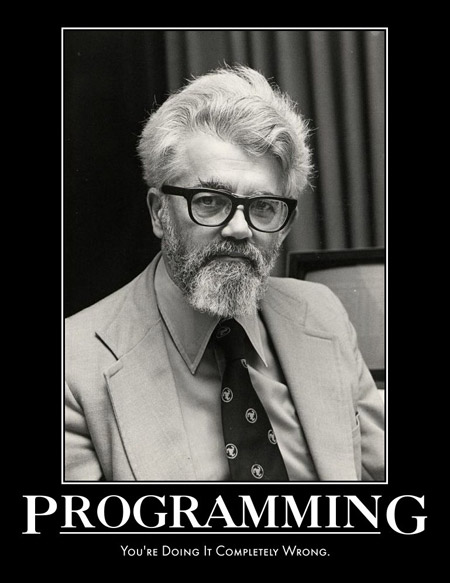
        John McCarthy

        John McCarthy died yesterday.  It's funny, I looked at his website yesterday and later thought about how old he must be, not knowing he had passed.  He invented the LISP programming language back in the late 1950s. Even though I don't program in LISP - I wrote a Scheme plugin for GIMP a few years ago; that's about all - I admire it a lot.  Thinking about how simple its syntax is and how simple its runtime is, yet how powerful it is just makes me feel good inside.  It's like a work of art.

        So, those of you who are programmers: to commemorate, read McCarthy's original specification for LISP, which is an excellent read for any computer scientist.  And then write a program in the functional style.


        John McCarthy, 1927-2011

        Tuesday, September 27, 2011

        Golf This!

        Here's something for all you programmers out there:

        print((@ARGV=map glob,@ARGV)?do{0 while(<>);$.}:0)
        1. Easy: What language is it?
        2. Moderate: What does it do?
        3. Difficult: Can you golf it?  That is, can you write a script that's even shorter but does the same thing?

        Sunday, June 12, 2011

        A Lambda Calculus Evaluator

        Here's an application I created back in 2007 that evaluates Lambda Calculus expressions.  I doubt it will be of use to anyone; if you know what Lambda Calculus is, and you actually care about it, you might decide to write your own evaluator, like I did.  This one has a nice, friendly graphical user interface, though.
        If you want to run it, download LambdaCalculus.zip, unzip it and run LambdaCalculusGUI.exe.  You'll need .NET or Mono installed on you computer, and you'll need LambdaCalculus.dll (included in LambdaCalculus.zip) to be in the execution directory (probably the same directory that LambdaCalculusGUI.exe is in).

        The application is written for .NET 2.0.  That's before LINQ, but after generics.  Nevertheless, I was using ArrayList where I could have used List<Type>.  And I was using Hungarian notation.  Boo. Programmers: do you ever look at your old code and squirm a little because of something you did that you would never do now?

          Sunday, April 10, 2011

          Language Recognition with gzip

          So I'm watching a lecture in CS221, and Prof. Norvig shows a slide with this Unix command on it:
            cat | gzip | wc
          and informs us that it can be used to identify what language a text is written in.  Basically the command is "combine some files, zip them up, then measure the size of the resulting zip file.  Jiggawhat?  Yes, there is a thing called "compression-based classification", and it's actually pretty effective.  What happens when you zip a file?  A compression algorithm finds repeated patterns in the file and replaces instances of them with shorter patterns.  The more and longer the repeated patterns, the more the file can be compressed.  What happens when you zip two files together?  If they have similar content, they will compress well.  If they have different content, they won't compress as well.  So, if you have some text and you want to find out what language it is, zip it with example texts for any language it might be.  The language it compresses best with is the language it is mostly likely to be.  If the languages you are considering aren't too similar (e.g. Dutch & German, not Norwegian & Swedish), this technique is actually very reliable.

          People have made serious studies of this.  I tried it out informally, and it actually works.  Here's a Perl script that does compression-based classification:
          Note the system call in size_when_zipped.  I threw together a "corpus" for each of several languages by picking text from books on Project Gutenberg; English, French, German and Dutch and found the script to work consistently for various texts.

          Changing the topic: I rewrote the script in Python and Haskell, just to see how the code would compare.  The translation from Perl to Python was pretty direct.  Again, I use Unix utilities to zip the files together and measure their length.  The Python version is both fewer lines and fewer characters, but only because I used less whitespace and no lines were devoted beginnings and endings of code blocks.  The translation to Haskell was less direct.  I don't have a Unix or GNU system to run Haskell programs on, so, when I wrote the Haskell version,  I had to write functions to perform the globbing and concatenation done by cat and the zipping done by gzip.  It it weren't for that, the Haskell code would have been the smallest.  Haskell blows both Python and Perl away in terms of terseness, without being (IMO) less readable.
          I must say that Python is ridiculously easy to code with.  I've only written a few hundred lines of Python, and I already feel like I've got the language figured out.  Still, Perl is more fun.  Probably because in Perl "There's more than one way to do it", and using the ins and outs of the language to find a way to do that is both elegant and readable is an interesting challenge.  With Python "There should be one—and preferably only one—obvious way to do it"  and there are no challenges if you already know how to write conventional C#/Java code.

          Thanks to Job Vranish for the lovely definition of bestOf in the Haskell version. The version I wrote was several lines longer.  With Haskell "There is more than one way to do it, the obvious way to do it is with recursion, but you should never use recursion because somebody already wrote higher-order function to do it".

            Sunday, August 08, 2010

            Monadic Predicate Logic

            Suppose we restricted our thoughts to the concepts of  something, everything, nothing, logical connectives like and, or, if...then or not, and monadic predicates, which are attributions of a property to an individual object, like "the sky is blue" or "tomorrow is Tuesday". (In the first statement, the sky is the object and blueness is its property.  In the second statement, tomorrow is the object and being a Tuesday is its property.  That's pretty restrictive, but it's enough to capture the logic behind such truths as the argument:
            Socrates is a man.
            Man is mortal.
            Therefore, Socrates is mortal.
            Which can be restated in a way that makes its logic more obvious:
            If Socrates is a man and if something is a man then it is mortal, then Socrates is mortal.
            The validity of any proposition that can be constructed from only the above-mentioned concepts is decidable.  By "validity" I mean the proposition is true independent of anything else.  "If something is both large and round, then it is large" is true whether or not anything large and/or round actually exists.  The above-mentioned proof of Socrates' mortality is valid, too.  By "proposition" I mean the meaning of a declarative, true-or-false statement.  By "decidable" I mean someone could write a computer program that would the determine any one of these proposition's validity, and it would work for any proposition.

            So why have I been explaining all this?  Because I wrote a computer program that does just that.  It's not the first to do so, and it only works for propositions that contain five or fewer predicates, but I spend a fair amount working on it, so I'm going to share it, anyway.
             
            The Application

            The application runs from the command line.  It takes one or more text files as command-line arguments.  When you execute it, it will read each file and try to interpret it as a statement of monadic predicate logic.  If it can, it will decide whether the contents are necessarily true (valid), possibly true (valid only if additional premises were added), or self-contradictory (necessarily false).

            So, if I had an input file that contains the following text:
            // All men are mortal.
            x,Hx->Mx
            // Socrates is a man.
            Hs
            // Therefore,
            ->
            // Socrates is mortal.
            Ms
            I would test it through the command prompt like this:


            The Language

            mpl.exe recognizes a particular language of symbolic logic.  The language uses only ASCII characters available on American English keyboard.  Its elements resemble either elements of ordinary symbolic logic or C-style bitwise operators.  My intent is for the language to be unoriginal enough for someone who knows symbolic logic to be able to use it without much trouble.  I'm too lazy to give a precise definition of the language, so I'll give a brief synopsis.  If anyone has questions, I'll be happy to answer them.

            The elements of the language are as follows:
            • Ax - a predicate, A, predicated on one variable x.  Predicates can be any character from A to Z.  Variables can be any character from a to z.  These are what represents attributions of a property to an object.  mpl.exe will handle statements with an unlimited number of these, so long as they use no more than five different predicates.
            • (,) - grouping by parentheses, just like in algebra.
            • .,:,:., etc. - old school grouping, like in Mathematical Logic.
            • x,... - universal quantification, i.e. "for all x, ... is true".  The generalization extends to the end of the group it is in, e.g. "x,Ax&y,By->Cx" means the same as "(x,Ax&(y,By->Cx))", but not the same as "(x,Ax)&(y,By->Cx)".
            • 3x,... - existential quantification, i.e. "there is an x such that ... is true".  It also extends to the end of the group it is in.
            • ~... - negation.
            • ...&.. - logical AND.
            • ...|... - logical OR.
            • ...->... - material conditional, i.e. IF...THEN...
            • ...<=>... - logical equivalence. &,|,-> and <=> all have the same precedence and are left-associative.
            • // ... - comments; anything after them is ignored by mpl.exe.
            Basically, mpl.exe expects an input file to contain a single statement.  The contents of a file might look like this:
            ((x,Hx->Mx)&Hs)->Ms
            This is the basic categorical syllogism.  You can add comments by adding "//"  and text behind it:
            ((x,Hx->Mx)&Hs)->Ms //the basic categorical syllogism
            mpl.exe will ignore anything behind  "//" .  If a line only contains a comment, mpl.exe will ignore it completely:
            // the basic categorical syllogism
            ((x,Hx->Mx)&Hs)->Ms
            A statement can be spread across multiple lines.  mpl.exe treats separate lines as if they were separate operand in a logical conjunction, so
            Ax|Bx
            Bx->Cx
            Cx
            means the same as
            (Ax|Bx)&(Bx->Cx)&(Cx)
            If a binary operator is on a line by itself, every line before it is conjoined and treated as its left operand; everything after it is conjoined and treated as its right operand.  So
            x,H->Mx
            Hs
            ->
            Ms
            means the same as
            ((x,Hx->Mx)&Hs)->Ms
            This allows us to symbolize logical arguments and test their validity.  Think of the first two lines in the text above as the premises of an argument and the last line as the conclusion.  As with computer programs, comments can be helpful:
            // All men are mortal.
            x,Hx->Mx
            // Socrates is a man.
            Hs
            // Therefore,
            ->
            // Socrates is mortal.
            Ms

            The Algorithm

            I won't say much about the algorithm right now, but I will say it is based on "possible worlds" semantics for logic.  I will also say that it runs in O(2^n^n) time, where n is the number of predicates mentioned in a statement; it does not scale well.  On my computer, mpl.exe finishes instantaneously for statements with three or fewer predicates and finishes in about a second for a statement with four predicates.  I haven't tried it, but I estimate it would take about a day to finish evaluating a statement with five predicates.  I didn't bother to implement mpl.exe in such a way that it would support more than five predicates, considering how long it would take to do that.

            The Download

            Click here to download the application.

            The Future


            I plan on extending mpl.exe to handle identity and modal operators for possibility and necessity.  Maybe soon.

            Sunday, May 02, 2010

            Litany Writer

            Here's an MS Excel spreadsheet that take scripture references, looks them up on Biblegateway.com and writes them to an MS Word document.  I made it to help my dad write litanies, but it's also good for looking up several passages of scripture at once.  To use it, you'll need MS Office and you'll need to enable macros in Excel.